Your biggest data risk isn't a hacker. It's your own team trying to get work done.
Every day they paste company information into AI tools you never approved, and almost nothing in your stack can see it. This is the leak no one has under control.
What is shadow AI monitoring?
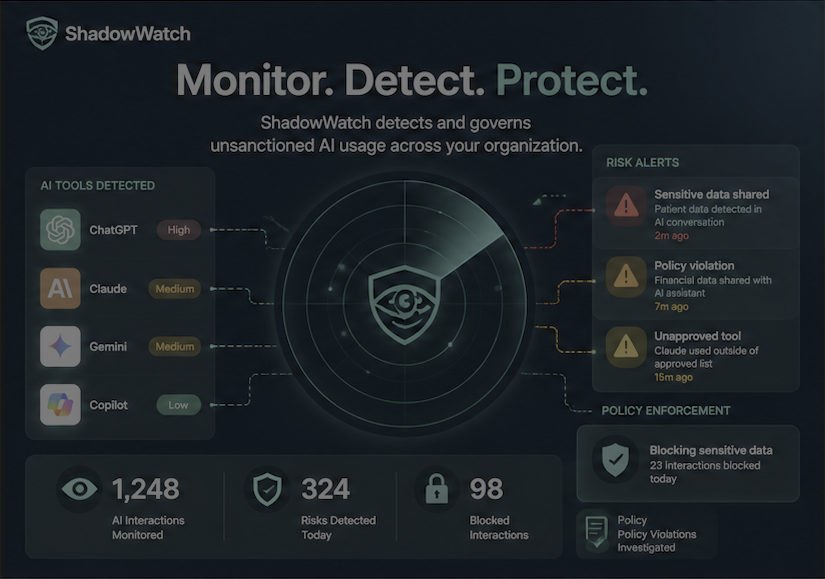
Shadow AI is the AI tools your employees use at work without your approval. ChatGPT, Claude, Gemini, Copilot, and new ones appearing all the time. They use them to work faster. And they paste in source code, customer records, financials, and patient information to get the job done.
Once that data hits a personal AI account, you've lost control of it. It sits in someone else's account forever, long after the employee leaves your company. If that account is ever compromised, your data leaks out. You have no way to recall it.
Shadow AI monitoring is how you see it. It detects which AI tools are in use, what data is going into them, and lets you warn or block the sensitive parts while still letting employees use AI productively. Traditional DLP can't parse a natural-language prompt and DNS filters can't see what's typed into ChatGPT. This is the layer that does.
The Risk
Why Shadow AI Is a Growing Threat
Most organizations can't see the AI tools their employees already use. That blind spot creates real, measurable risk.
Sources: Salesforce State of IT 2024, Microsoft & LinkedIn Work Trend Index 2024, Cloud Security Alliance 2026.
Sensitive data in AI prompts
Employees paste source code, customer PII, financials, and patient records into public AI tools that were never approved by security.
No visibility into AI usage
Security teams have no record of which AI tools are in use, who is using them, or what data is being shared.
Policy and compliance gaps
Unsanctioned AI use breaks HIPAA, PCI DSS, SOC 2, and ISO 27001 obligations and creates audit failures.
Loss of IP and trade secrets
Proprietary code, roadmaps, and competitive intelligence leak into AI systems you don't control.
The Solution
How ShadowWatch Monitors Shadow AI
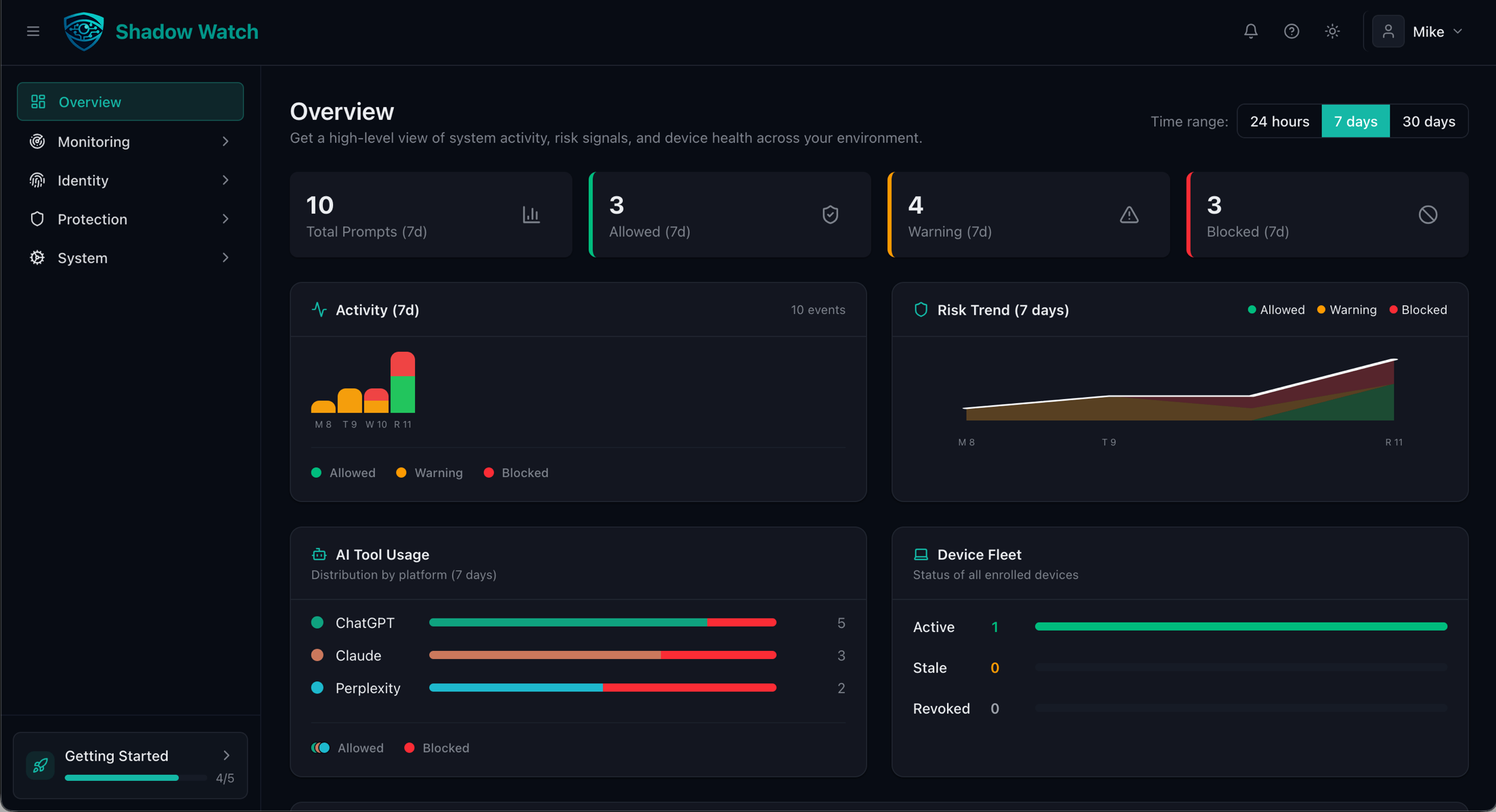
ShadowWatch deploys as a lightweight browser extension and automatically observes AI interactions across the tools your team already uses, no configuration, no infrastructure, no code changes.
Benefits
What You Get With Shadow AI Monitoring
Visibility, warnings, blocking, and a record you can prove to an auditor.
Universal AI Detection
Automatically detect interactions with ChatGPT, Claude, Gemini, Copilot, and any other AI tool your team uses (including ones not on any list) with zero configuration.
Prevent Data Leaks
Block sensitive data before it reaches any AI tool. Set custom policies and get instant alerts on violations.
A queryable audit trail
See AI interactions across your monitored browsers with logs, usage analytics, and exportable evidence for compliance.
Deploy in Minutes
A lightweight browser extension gets your whole team covered in minutes. No code changes or infrastructure required.
FAQ
Shadow AI Monitoring FAQ
What is shadow AI monitoring?
Shadow AI monitoring is the process of detecting, tracking, and governing the AI tools employees use inside an organization, including AI assistants and coding tools that were never reviewed or approved by IT or security teams. Shadow AI monitoring gives security teams visibility into unsanctioned AI usage and the controls needed to prevent sensitive data from being shared with those tools.
Why is shadow AI monitoring important?
Employees increasingly use public AI tools to work faster, but many of those tools were never approved by security. When sensitive data, source code, customer PII, patient records, financials, is pasted into unsanctioned AI tools, it leaves the organization's control. Shadow AI monitoring prevents that data loss, closes compliance gaps, and gives security teams a complete picture of AI risk.
How does shadow AI monitoring work?
ShadowWatch uses a lightweight browser extension to observe AI interactions across the tools your team already uses. It automatically detects when employees interact with ChatGPT, Claude, Gemini, Copilot, and any other AI tool your team uses (including tools not on any list), flags sensitive data before it is submitted, enforces your policies, and keeps a complete audit trail for compliance.
What AI tools does ShadowWatch monitor?
ShadowWatch works with any AI tool your team uses (ChatGPT, Claude, Gemini, GitHub Copilot, and other AI assistants and coding tools) including tools not on any list, because detection is automatic and doesn't rely on a fixed inventory. New and unknown AI sites are picked up as they appear, with no manual configuration.
Is shadow AI monitoring the same as data loss prevention (DLP)?
They overlap but are not the same. Traditional DLP was built for data moving through email, endpoints, and the network. It was never designed to see what employees type into a browser-based AI assistant. Shadow AI monitoring is purpose-built for that surface: it detects unsanctioned AI use, prevents sensitive data from being submitted to AI in the first place, and adds an AI Presence Indicator and a queryable audit trail that DLP doesn't provide. Most teams run ShadowWatch alongside their existing DLP stack, not instead of it.
Does shadow AI monitoring block employees from using AI?
No. The goal is to enable safe AI use, not block it. ShadowWatch lets employees keep using approved AI tools for productivity while preventing sensitive data from leaving your organization and giving security teams visibility and policy control over what is shared.
How does ShadowWatch handle sensitive data and privacy?
Risk scoring runs locally in the browser extension, and we capture prompts at submit time. There is no keystroke logging and no passive surveillance of typing. Sensitive patterns like PII, secrets, and API keys are automatically redacted in the audit trail before storage, so your evidence doesn't itself become a leak. To enable governance and alerting, prompt text is sent to your ShadowWatch backend, with sensitive patterns redacted before storage. Non-sensitive prompt text is kept to give you a usable audit record, and you control how long data is retained (7 days on Starter, 90 on Pro, 365 on Enterprise). For the full breakdown, see how we handle your data at https://shadowwatch.ai/security/.
Does ShadowWatch record what employees type?
No. We capture prompts at submit time, not keystroke by keystroke. There is no passive surveillance of typing. Sensitive patterns are redacted in the audit trail before storage, so the record itself never becomes a second leak.
Ready to see the AI tools in use across your organization? Book a 15-min demo →
Every week without AI governance is a week of untracked risk
Your employees are using AI right now.
Do you know what they're sharing?
Most companies discover their AI governance gap after an incident, and 47% of AI-using organizations already had one (IBM Cost of a Data Breach 2025). ShadowWatch gives you visibility in minutes. Free, from the browser, with no infrastructure changes. Start with 10 devices and see what's really happening.
Risk scoring runs locally. Sensitive patterns auto-redacted in the audit trail. No keystroke logging. DPoP-bound tokens.
How we handle your data